What is a tree menu?

What is a tree menu? An application is of no use if it takes hours for the users to find the content they need. With 94% of consumers demanding easy…

Vagisha AroraPlanet Crust 3 min read Updated 29 Aug 2022

An application is of no use if it takes hours for the users to find the content they need. With 94% of consumers demanding easy navigation on websites, instant navigation options are crucial for having successful apps and websites. Thankfully, digital menus eliminate this crippling need to scroll through lines of data to find the content and tools you need. Holding paramount importance in data organization, menus can be of any structure depending upon the type of software you are using.

A tree menu is a menu type that follows a hierarchical structure of data presentation. It enables you to categorize data items based on the kind of tasks, products, functions etc. In the apps you create with a low-code platform, you can add, modify and customize these categories and subcategories by editing records and pages.

Elements of a tree menu

A tree menu has three primary elements. They are named based on the relationship they have with the other elements of the table :

  1. Parent: A parent is a page or record that has subgroups under it.
  2. Child: A child is a subgroup of a parent element.
  3. Sibling: Two pages that are subgroups of the same parent item are called siblings. They are on the same level in the hierarchy.

All the elements can be associated with multiple terms. If a child of one parent node has subgroups of its own, it is a parent to those subgroups and vice versa. In simple words, a tree menu is a digital flow-chart that not just guides users but also takes them to their target location with a simple click.

Salient features of a tree menu

1. Organized task flows
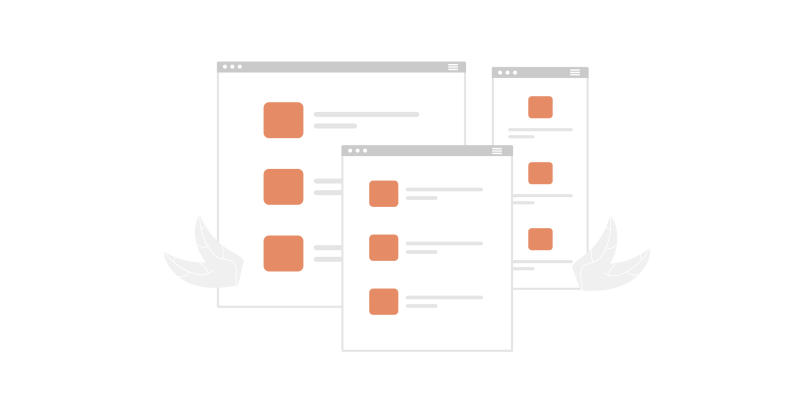
A tree menu can be used to define a group of interconnected business rules for one family of trees. A company can have separate trees for different departments, leads, accounts or projects. Each section can have tasks associated, for example, ‘amount payable’ and’ invoice creation’ can be children under the finance parent record. Each subset of a tree menu can be selected at a time, and the list of tasks under it can be performed to fulfill a specific purpose.

2. Well defined relationships between data points

The hierarchical structure of a tree menu allows selective grouping and nesting of information that exists within your organization. Multiple data points can exist within a tree structure menu and have relationships with each other. This allows users to prioritize tasks and information.

3. Quicker Navigation

A tree menu structure makes it easy to search for a page. Unlike linear menu structures in which you have to search for content from a list of options, the tree menu allows you to follow a hierarchical system to find what you’re looking for.

Making a tree menu in a low-code platform

Planet Crust is the driving force behind the Corteza open-source low-code development platform. You can create pages in Corteza, and use a simple drag and drop feature to organize them. These pages will show up to the end-user in a tree menu format. So, the Corteza low-code platform eliminates the need for knowing hardcoding skills that you would otherwise need to create tree menus. Get started for free!

#citizen developers#citizen development#Drag-and-drop#Low Code Platform#Low-code#Low-Code Apps#Rapid Application Development

Found this useful? Share it.

Written by

Vagisha Arora

Vagisha is a full-time freelance content writer and marketer who helps startups and businesses to enhance their online visibility through user-friendly, interactive, engaging blog posts and articles. She has been featured on publications like Hackernoon, Thrive Global, Medium, BBN Times, etc. She has also been associated with renowned brands like HT, Bonobology, Shiksha, Myntra, Amazon, etc. She is the editor of “The Growth Hacking Book 2” where 100+ experts from 20 countries will share trailblazing secrets from over 70 elements of marketing. She has been invited as a speaker at SRCC, DTU, Fuzia, Chitkara University, and more to guide young minds to build a fruitful career in freelance writing. Her versatile experience and extensive knowledge in content writing and marketing make her stand out in the crowd. She has worked on 1000+ writing projects in versatile niches like health, education, travel, tech, e-commerce, etc. Apart from that, she has also been featured as Top 10 Content Writers of India (2019) by Engineerbabu. With over 450+ LinkedIn posts in a short span of 2 years, she is well versed in understanding the workings of social media platforms. She helps entrepreneurs and brands to build their social media presence on various channels like LinkedIn, quora, Instagram, and more.

More articles by Vagisha
Sales

Talk to our sales team

Planning @Human for your organisation? Tell us a little and the right person will get back to you.

  • Plans, support and licensing explained
  • Pilot and rollout options
  • Answers from the team that builds @Human

We reply within one working day.

Your enquiry

A few details so we can prepare.

General enquiries

Get in touch

Press, partnerships, careers or anything else. Send us a note and the right person will reply.

  • Press and media
  • Partnerships and community
  • Careers and everything else

Questions about buying @Human? Talk to our sales team.

Your message

We'll reply by email.

Quote

Ask for a quote

Tell us what you need and we'll prepare a written quote for your organisation.

  • Support plans with an SLA
  • Enterprise Support with a named engineer
  • Build, pilot and rollout services

Quotes are free, and the decision is always yours. Prices exclude VAT.

Quote details

The more we know, the more precise the quote.

Newsletter

News from @Human

Product updates, governance tips and early-access news, about once a month.

  • What's new in @Human
  • Practical EU AI Act and ISO 42001 notes
  • Unsubscribe in one click, any time

Your email stays private with us.

Subscribe

Just your email is enough.

Token savings

Estimate what you could save on tokens

Tell us about one process that runs on AI today. We'll map which steps need a model and which can run as token-free code.

  • Which steps need judgement, and which run as code
  • A rough before-and-after of your token bill
  • Ideas you can use whatever you decide

Estimates are illustrative. Real costs depend on your model, provider and volumes.

Get your estimate

A specialist replies within one working day.

Not-for-profit free build

Apply for a free governed AI application

For charities, NGOs and community groups. We build your first @Human application free of charge.

  • Governed from the first line
  • Cheap to run, protects the people you serve
  • Yours to keep and run

We reply within one working day to arrange a scoping call.

Your application

A few details about your organisation and what you'd build.

Enterprise pilot

Plan your @Human pilot

Start with one AI system that matters, prove the value, then standardise what works across the enterprise.

  • Policies, risk and approval gates set up with you
  • Your cloud, your models, your data
  • A clear path from pilot to portfolio

We reply within one working day to plan next steps.

Tell us about your pilot

Two minutes now saves a meeting later.

Ask us anything

Ask your own question

Security, compliance, integration, cost or anything else. A real person replies.

  • An answer within one working day
  • From the team that builds @Human
  • Routed to the right specialist on our team

Prefer to see it live? Book @Human Walkthrough from any page.

Your question

We'll reply by email.

Early access

Reserve your @Human plan

Pick what you'd like to pay. Today is free: we'll email you when your early access place opens.

  • €0 due today
  • The same platform at every amount
  • Change or cancel at any time

@Human is in early access. We email you before anything is charged.

Your reservation

Three short steps.

Plan€10 a month
Due today€0.00

€0 due today. @Human is in early access. Reserving your plan puts you on the list, and we will email you before anything is charged. You can change or cancel at any time.

20-minute walkthrough

See @Human at work with your use cases

Bring a use case you're planning. We'll show you how to build it in @Human as a compliance-first AI system.

  • Built around your own use case
  • How it's classified, governed and evidenced
  • Which plan fits, honestly

Your pace, your decision. A real conversation.

Book your walkthrough

We reply within one working day to find a time.