বর্তমান তারিখ ও সময়: শুক্রবার, ২০২৬-১০-৩০ ১৩:২৪ ইউটিসি। টার্গেট ভাষা: বাংলা (bn) স্টাইল: মানসম্মত বাংলা (বাংলাদেশ)। পণ্যের নাম এবং সাধারণ প্রযুক্তিগত পরিভাষা ইংরেজিতে রাখুন। প্রসঙ্গ: /, অনুচ্ছেদ পাঠ্য: Pre-release

Running Corteza on a local machine

lennyPlanet Crust 3 min read Updated 10 Feb 2023

This is a guide on how to run Corteza on a local machine, describing steps needed to achieve that and how repositories are connected on the backend and frontend. More information about Corteza you can find in the official documentation.

https://github.com/cortezaproject
https://docs.cortezaproject.org/corteza-docs/2021.9/index.html

Step 1: run corteza-server from Docker

  1. Repository corteza-server is the main backend repository. The easiest way to run it locally is as a Docker container and then connect frontend web apps to it. This guide assumes that you know how to run Docker containers on your machine.
  2. Please watch this video to run corteza-server as Docker container. As instructed in the video copy docker-compose.yaml and .env file from https://docs.cortezaproject.org/corteza-docs/2021.9/devops-guide/offline-deployment/multi-mysql.html.
  3. You can also disable serving web app from Docker as we will be running web apps from the source. In .env file change HTTP_WEBAPP_ENABLED=false
  4. Now your corteza-serve should be running on 127.0.0.1:18080 or at the specified domain in .env file on local.cortezaproject.org:18080
  5. Check if everything is OK – https://127.0.0.1:18080/version or https://local.cortezaproject.org:18080/version
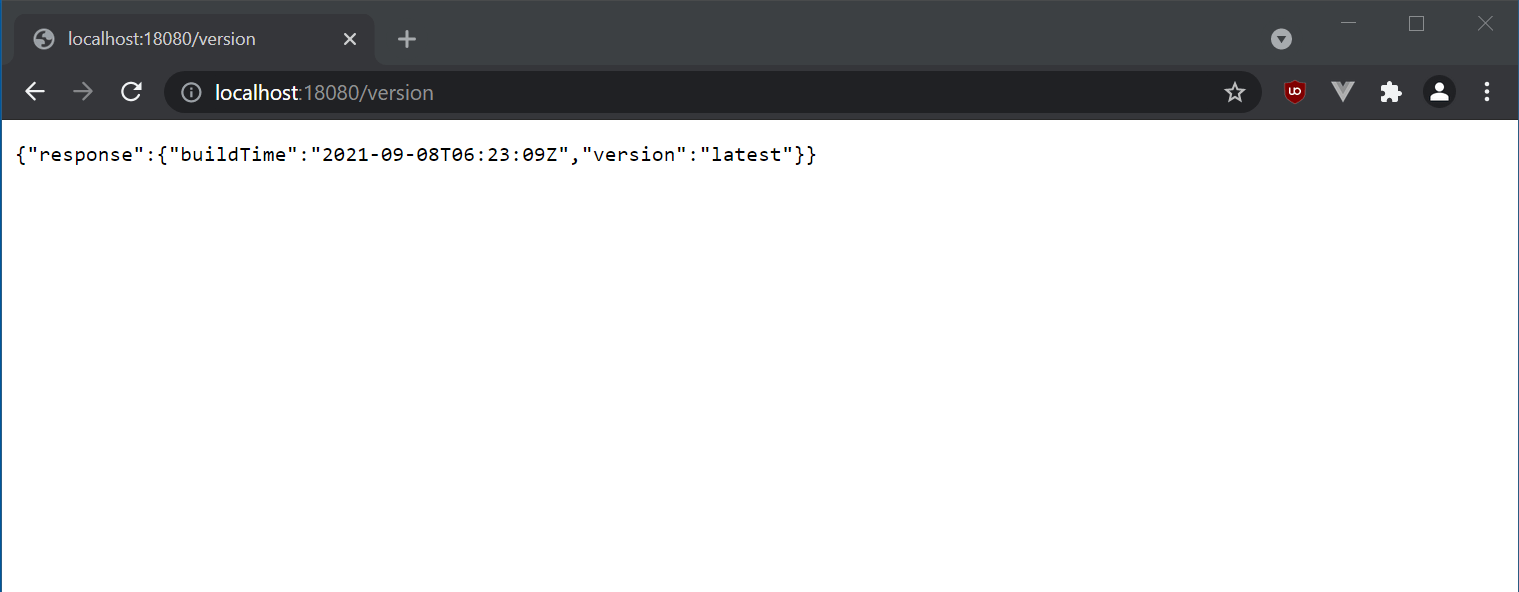
Step 2: run corteza-webapp- from source code

There are many Corteza web apps available such as corteza-webapp-admin, corteza-webapp-workflow,… All these web apps use two other repositories, corteza-js and corteza-vue, as dependencies, which have to be built and linked. Web apps such as corteza-webapp-admin are linked to corteza-vue and corteza-js. The corteza-vue repository is linked only to corteza-js.

2a: build corteza-js

  1. Download or clone repository from https://github.com/cortezaproject/corteza-js
  2. Run yarn command to install all packages
  3. Run yarn build to build a fresh bundle
  4. Run yarn link so that corteza-js becomes linkable

2b: build corteza-vue

  1. Download or clone repository from https://github.com/cortezaproject/corteza-js
  2. Run yarn link @cortezaproject/corteza-js so that corteza-js becomes dependency
  3. Run yarn command to install all packages (Nodej.js version 13 installs without errors)
  4. Run yarn build to build a fresh bundle
  5. Run yarn link so that corteza-vue becomes linkable

2c: run the web app

  1. Download or clone repository of available web apps. All apps are run the same way. https://docs.cortezaproject.org/corteza-docs/2021.9/developer-guide/web-applications/index.html
  2. Create the config.js file from config.example.js. Run cp public/config.example.js public/config.js for Linux, or in public folder run copy config.example.js config.js for Windows
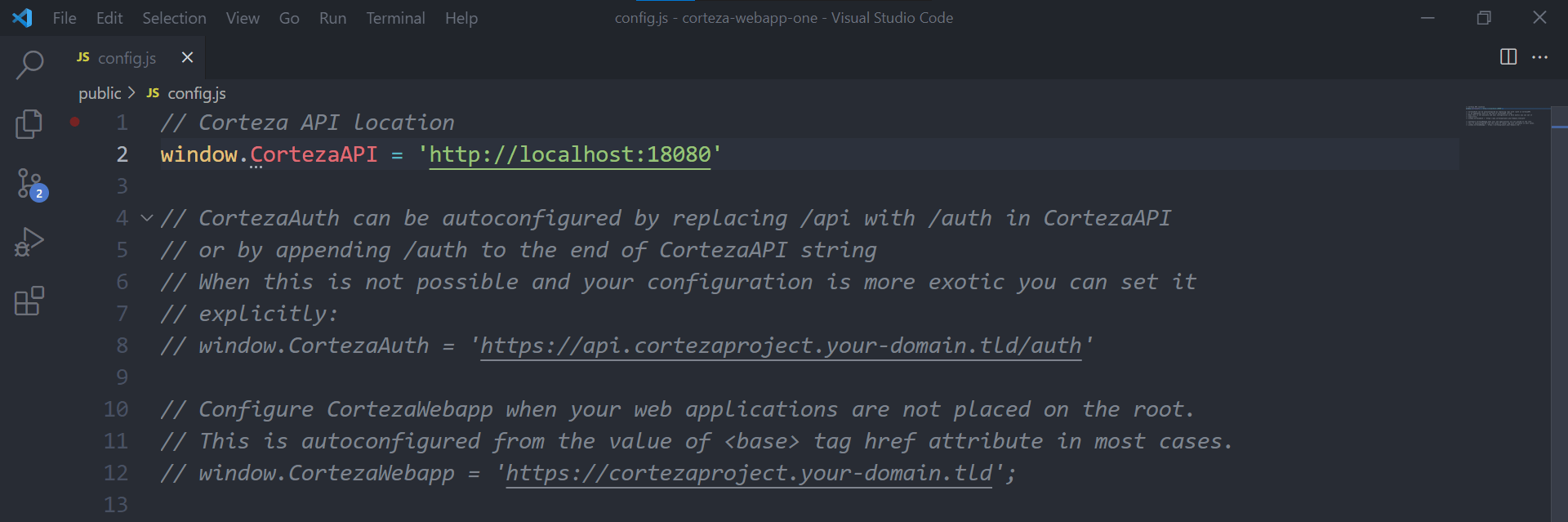
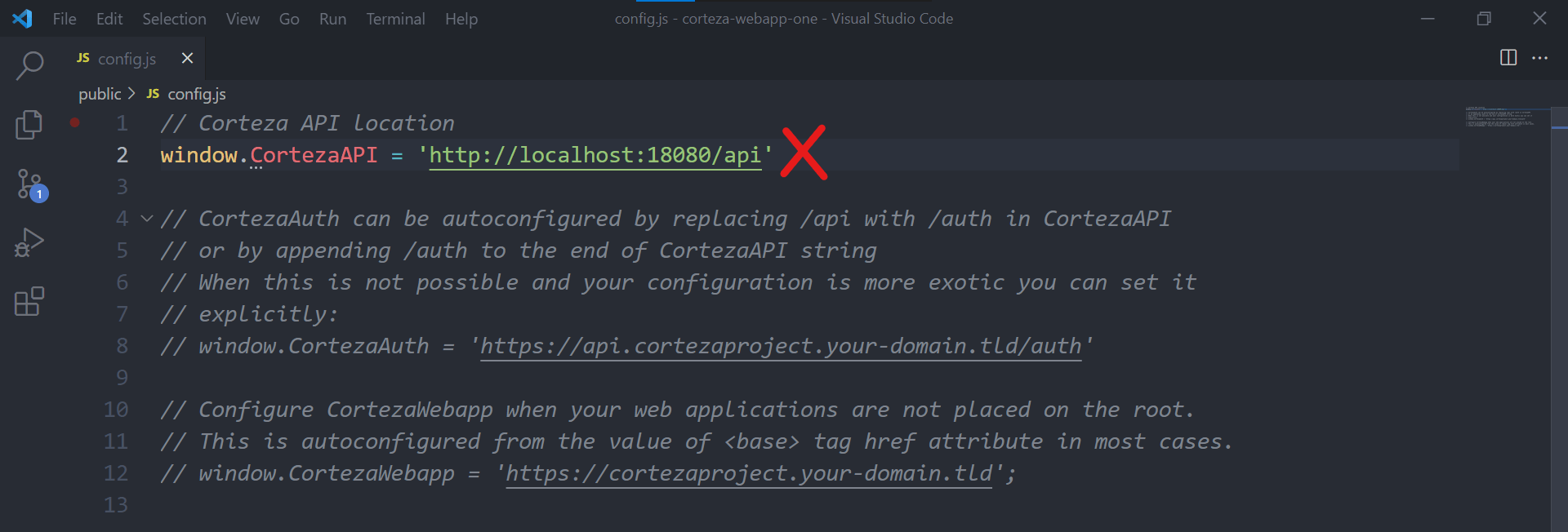
  3. Set the API in the config.js file
  4. Run yarn link @cortezaproject/corteza-js & yarn link @cortezaproject/corteza-vue so that corteza-js and corteza-vue become dependencies
  5. Run yarn command to install all packages (for corteza-webapp-one Nodej.js version 13 installs without errors. For other web apps Node.js 14 is recommended)
  6. Run the yarn serve command to start the web application
  7. When running the web app from localhost, it will redirect you to the sign-in/sign-up page served from server
  8. Create a new account. After successful signup, you are redirected to a web app running on localhost. To make sure that your user is admin and is able to use web apps with all features run docker-compose exec server /corteza/bin/corteza-server roles adduser super-admin your.user@something.com

Troubleshooting

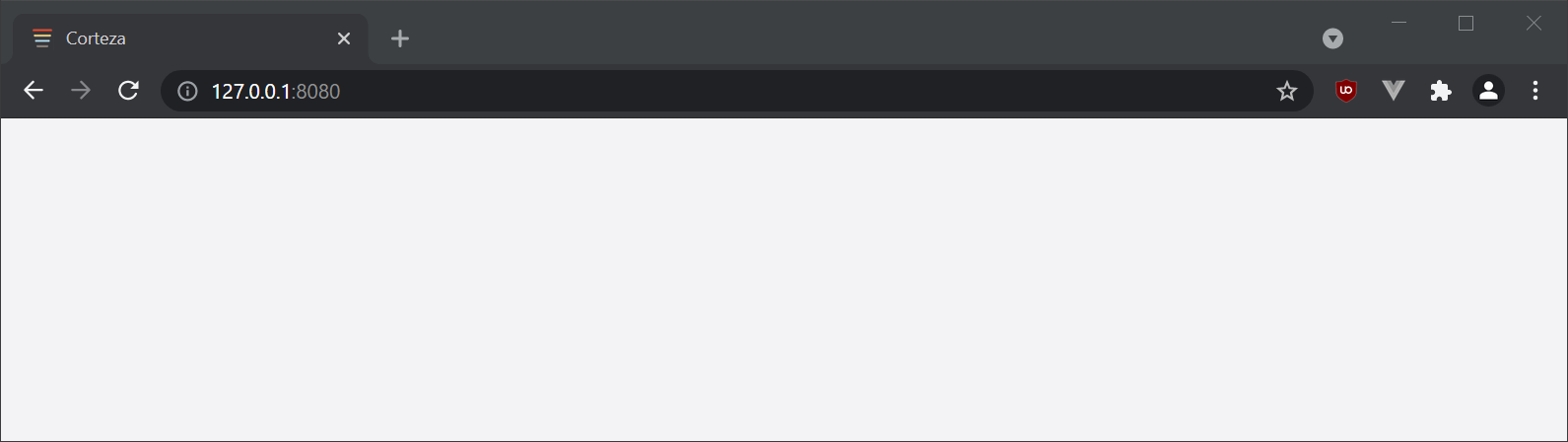
If you see a blank page like below, window. Corteza API might be set wrong. To solve this. please refer to 2c step, point 3.
#Corteza#Howto#Setup

Found this useful? Share it.

Written by

lenny

More articles by lenny
Sales

Talk to our sales team

Planning @Human for your organisation? Tell us a little and the right person will get back to you.

  • Plans, support and licensing explained
  • Pilot and rollout options
  • Answers from the team that builds @Human

We reply within one working day.

Your enquiry

A few details so we can prepare.

General enquiries

Get in touch

Press, partnerships, careers or anything else. Send us a note and the right person will reply.

  • Press and media
  • Partnerships and community
  • Careers and everything else

Questions about buying @Human? Talk to sales instead.

Your message

We'll reply by email.

Quote

Ask for a quote

Tell us what you need and we'll prepare a written quote for your organisation.

  • Support plans with an SLA
  • Enterprise Support with a named engineer
  • Build, pilot and rollout services

Quotes are free and without obligation. Prices exclude VAT.

Quote details

The more we know, the more precise the quote.

Newsletter

News from @Human

Product updates, governance tips and early-access news, about once a month.

  • What's new in @Human
  • Practical EU AI Act and ISO 42001 notes
  • Unsubscribe in one click, any time

We never share your email.

Subscribe

Just your email is enough.

Token savings

Estimate what you could save on tokens

Tell us about one process that runs on AI today. We'll map which steps need a model and which can run as code that costs nothing in tokens.

  • Which steps need judgement, and which don't
  • A rough before-and-after of your token bill
  • Ideas you can use whatever you decide

Estimates are illustrative. Real costs depend on your model, provider and volumes.

Get your estimate

A specialist replies within one working day.

Not-for-profit free build

Apply for a free governed AI application

For charities, NGOs and community groups. We build your first @Human application at no build cost.

  • Governed from the first line
  • Cheap to run, protects the people you serve
  • Yours to keep and run

We reply within one working day to arrange a scoping call.

Your application

A few details about your organisation and what you'd build.

Enterprise pilot

Plan your @Human pilot

Start with one AI system that matters, prove the value, then standardise what works across the enterprise.

  • Policies, risk and approval gates set up with you
  • Your cloud, your models, your data
  • A clear path from pilot to portfolio

We reply within one working day to plan next steps.

Tell us about your pilot

Two minutes now saves a meeting later.

Ask us anything

Ask your own question

Security, compliance, integration, cost or anything else. A real person replies.

  • An answer within one working day
  • From the team that builds @Human
  • No sales pressure

Prefer to see it live? Book @Human Walkthrough from any page.

Your question

We'll reply by email.

Early access

Reserve your @Human plan

Pick what you'd like to pay. Nothing is charged today: we'll email you when your early access place opens.

  • No payment today
  • The same platform at every amount
  • Change or cancel at any time

@Human is in early access. We email you before anything is charged.

Your reservation

Three short steps.

Plan€10 a month
Due today€0.00

No payment today. @Human is in early access. Reserving your plan puts you on the list, and we will email you before anything is charged. You can change or cancel at any time.

20-minute walkthrough

See @Human at work with your use cases

Bring a use case you're planning. We'll show you how to build it in @Human as a compliance-first AI system.

  • Built around your own use case
  • How it's classified, governed and evidenced
  • Which plan fits, honestly

No obligation. No sales deck.

Book your walkthrough

We reply within one working day to find a time.