
In the rapidly changing arena landscape of logistics and supply chain management, the imperative for efficient and intelligent warehouse operations has reached new heights. In this article we navigate the convergence of artificial intelligence and no-code development, unveiling the creation of a Warehouse Management App designed to empower businesses with streamlined and intelligent warehouse processes. Delving into crucial features, we offer a step-by-step guide on constructing the Warehouse Management App, complete with a sample data model and an entity relationship diagram (ERD) to visually articulate the app’s functionality.
What the App Does:

- Inventory Tracking:
The app allows users to track inventory levels in real-time, providing details on product quantities, locations, and movement history.
- Order Management:
It facilitates the processing of orders from placement to shipment. Users can view, update, and fulfill orders efficiently.
- Reporting and Analytics:
The app generates reports and analytics on various aspects, such as inventory turnover, order fulfillment speed, and stockout rates, aiding in data-driven decision-making.
- User Authentication and Roles:
Secure user authentication ensures that only authorized personnel access the app. Different roles (e.g., managers, staff) have specific permissions, maintaining data integrity.
- AI-powered Features:
Integration with AI enhances the app’s capabilities, providing predictive analytics for demand forecasting and intelligent search functionalities for quicker retrieval of information.
Who the App is For:

- Warehouse Managers:
For overseeing overall warehouse operations, monitoring performance metrics, and making strategic decisions based on real-time data.
- Warehouse Staff:
For day-to-day tasks such as updating inventory levels, processing orders, and managing shipments efficiently.
- Business Owners:
For gaining insights into warehouse performance, optimizing processes, and making informed decisions that impact the entire supply chain.
Benefits of the Warehouse Management App:

- Improved Efficiency:
Automation of manual tasks and streamlined workflows lead to increased operational efficiency.
- Reduced Errors:
Automation reduces the likelihood of errors in data entry, order processing, and inventory management, contributing to higher accuracy.
- Enhanced Visibility:
Real-time visibility into inventory and order statuses allows for proactive decision-making and the ability to address issues promptly.
- Cost Savings:
Optimized inventory levels, efficient order fulfillment, and reduced errors contribute to cost savings in warehouse operations.
- Scalability:
The app grows with the business, providing a scalable solution that can handle increased data volume and user requirements.
- Customer Satisfaction:
Accurate order fulfillment and timely shipping contribute to improved customer satisfaction and loyalty.
- Strategic Decision-making:
The availability of analytics and AI-driven insights enables strategic decision-making for long-term success and competitiveness.
How to Build the App

1. Define Requirements:
Clearly outline the functionalities and features you need for your Warehouse Management App. Consider aspects such as:
- Inventory Tracking: Real-time tracking of products in the warehouse.
- Order Management: Processing orders, updating order status, and managing shipments.
- User Authentication: Secure access control for different users.
- Reporting: Generate reports on inventory levels, order history, and performance metrics.
- AI Integration: Decide where AI can enhance your app, such as demand forecasting or intelligent search.
2. Select an AI-powered No-code App Builder:
Research and choose a no-code platform that aligns with your requirements. Consider factors like ease of use, scalability, and AI capabilities offered by the platform.
3. Wireframe and Design:
Use design tools or features within the chosen no-code platform to create wireframes and design mockups. Consider the user interface, navigation flow, and overall aesthetics. Ensure that the design is intuitive for warehouse staff.
4. Database Design:
Configure the database using the built-in tools of the no-code platform. Define tables for entities such as products, orders, users, and relationships between them. Set up appropriate data types, validations, and constraints.
5. User Authentication:
Implement user authentication to control access to different parts of the app. Define roles (e.g., admin, staff) and set permissions based on user roles. Ensure secure authentication methods, such as username/password or multi-factor authentication.
6. Build Data Models:
Using the no-code platform, create data models that represent the structure of your data. Define relationships between entities, such as a relationship between products and inventory levels. Implement any necessary business logic within the data models.
7. Implement Core Functionality:
Use the visual development tools provided by the no-code platform to build the core features:
- Inventory Tracking: Create forms to add, update, and view product information.
- Order Management: Implement workflows for order processing, shipment updates, and order history.
- Reporting: Use reporting tools or integrate with third-party services to generate reports.
8. Integrate AI Features:
Explore the AI capabilities of the chosen no-code platform or integrate external AI services. For instance:
- Demand Forecasting: Use AI to predict future demand based on historical data.
- Intelligent Search: Implement a search feature that utilizes AI for better results.
9. Testing:
Thoroughly test your app in various scenarios. Check for usability, data accuracy, and edge cases. Use testing environments provided by the no-code platform, and involve end-users or stakeholders in the testing process.
10. Deployment:
Deploy your web app using the deployment options provided by the no-code platform. This might involve connecting a custom domain, configuring hosting settings, and making the app accessible to your users.
11. User Training:
Prepare training materials and conduct training sessions for warehouse staff. Provide documentation and tutorials to help users navigate and utilize the app effectively.
12. Monitoring and Maintenance:
Set up monitoring tools to track the app’s performance. Address any issues promptly and release updates as needed. Regularly check for new features or improvements in the no-code platform and incorporate them into your app.
13. Scaling:
As your warehouse operations grow, assess the scalability of your app. Optimize database queries, consider caching mechanisms, and implement performance improvements as necessary.
14. Security Measures:
Implement security measures to protect sensitive data. This includes:
- Data Encryption: Encrypt data in transit and at rest.
- Secure Authentication: Use industry-standard authentication protocols.
- Regular Audits: Conduct security audits to identify and address vulnerabilities.
15. Compliance:
Ensure that your app complies with relevant regulations, such as GDPR or industry-specific standards. Implement data privacy features and update your app as regulations evolve.
Sample Data Model:
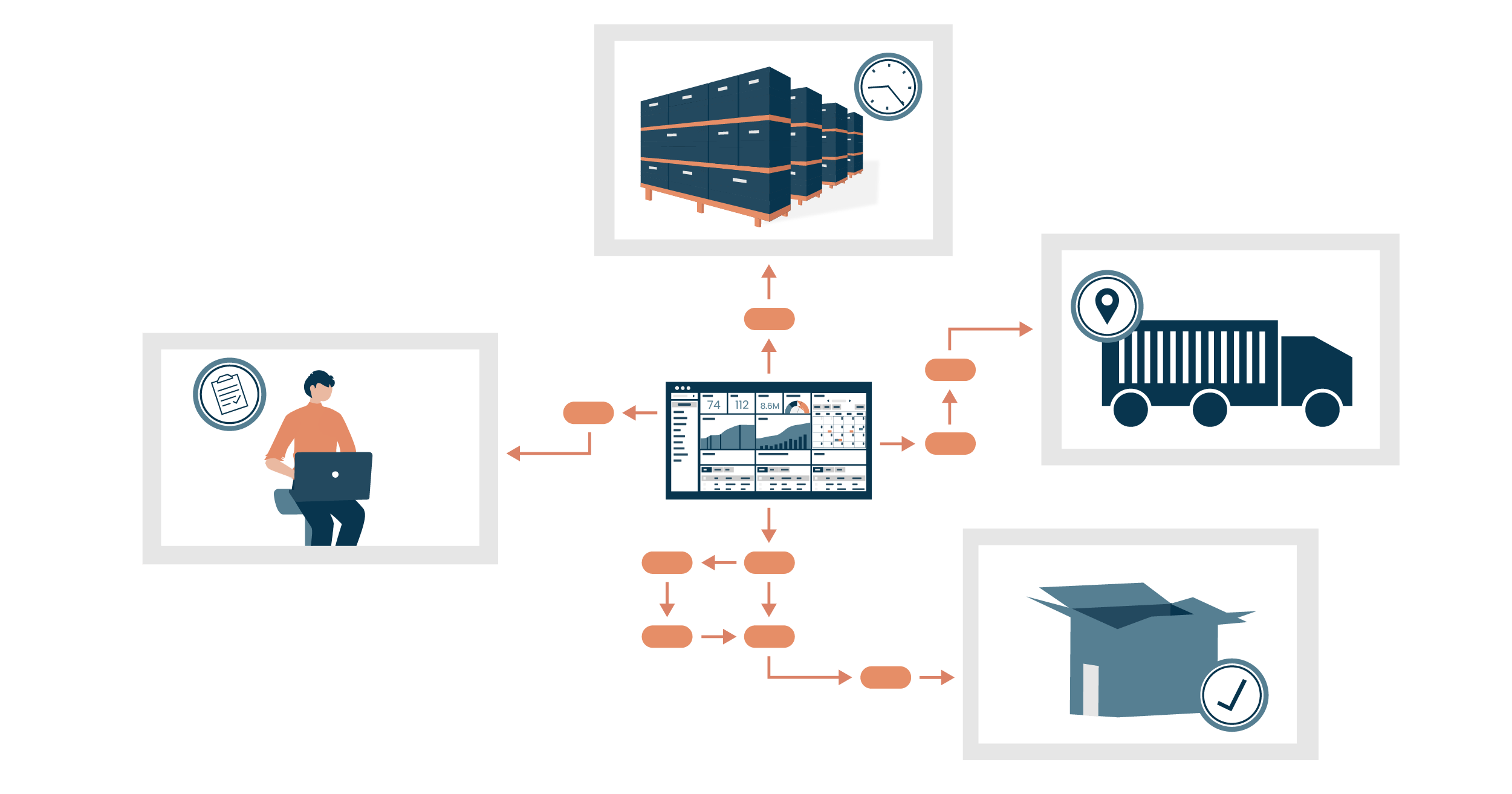
This sample data model represents a basic structure for a Warehouse Management App:
Product:
Attributes:
- ProductID (Primary Key)
- ProductName
- Description
- Category
- UnitPrice
- QuantityOnHand
WarehouseLocation:
Attributes:
- LocationID (Primary Key)
- Aisle
- Rack
- Shelf
Inventory
Attributes:
- InventoryID (Primary Key)
- ProductID (Foreign Key referencing Product)
- LocationID (Foreign Key referencing WarehouseLocation)
- QuantityInStock
- LastStockUpdateDate
Order
Attributes:
- OrderID (Primary Key)
- CustomerID (Foreign Key referencing Customer)
- OrderDate
- Status (e.g., Processing, Shipped, Delivered)
OrderItem
Attributes:
- OrderItemID (Primary Key)
- OrderID (Foreign Key referencing Order)
- ProductID (Foreign Key referencing Product)
- Quantity
- UnitPrice
Customer
Attributes:
- CustomerID (Primary Key)
- FirstName
- LastName
- Phone
User
Attributes:
- UserID (Primary Key)
- Username
- Password
- Role (e.g., Admin, Staff)
Here’s a brief explanation of each table:
- Product: Stores information about products, including their name, description, category, unit price, and current quantity on hand.
- WarehouseLocation: Represents the physical location of products within the warehouse, identified by aisle, rack, and shelf.
- Inventory: Tracks the quantity of each product at a specific warehouse location. The table includes the product and location IDs, the quantity in stock, and the last update date.
- Order: Stores information about customer orders, including the customer ID, order date, and order status.
- OrderItem: Contains details about individual items within an order, such as the product ID, quantity, and unit price.
- Customer: Holds customer information for order fulfillment, including first and last names, email, and phone number.
- User: Manages user authentication and roles within the application. The role attribute can be used to differentiate between administrators and warehouse staff.
Entity-Relationship Diagram (ERD)
Creating a complete and accurate Entity Relationship Diagram (ERD) would depend on the specific requirements and relationships in your Warehouse Management App. Here’s a simplified ERD based on the sample data model:
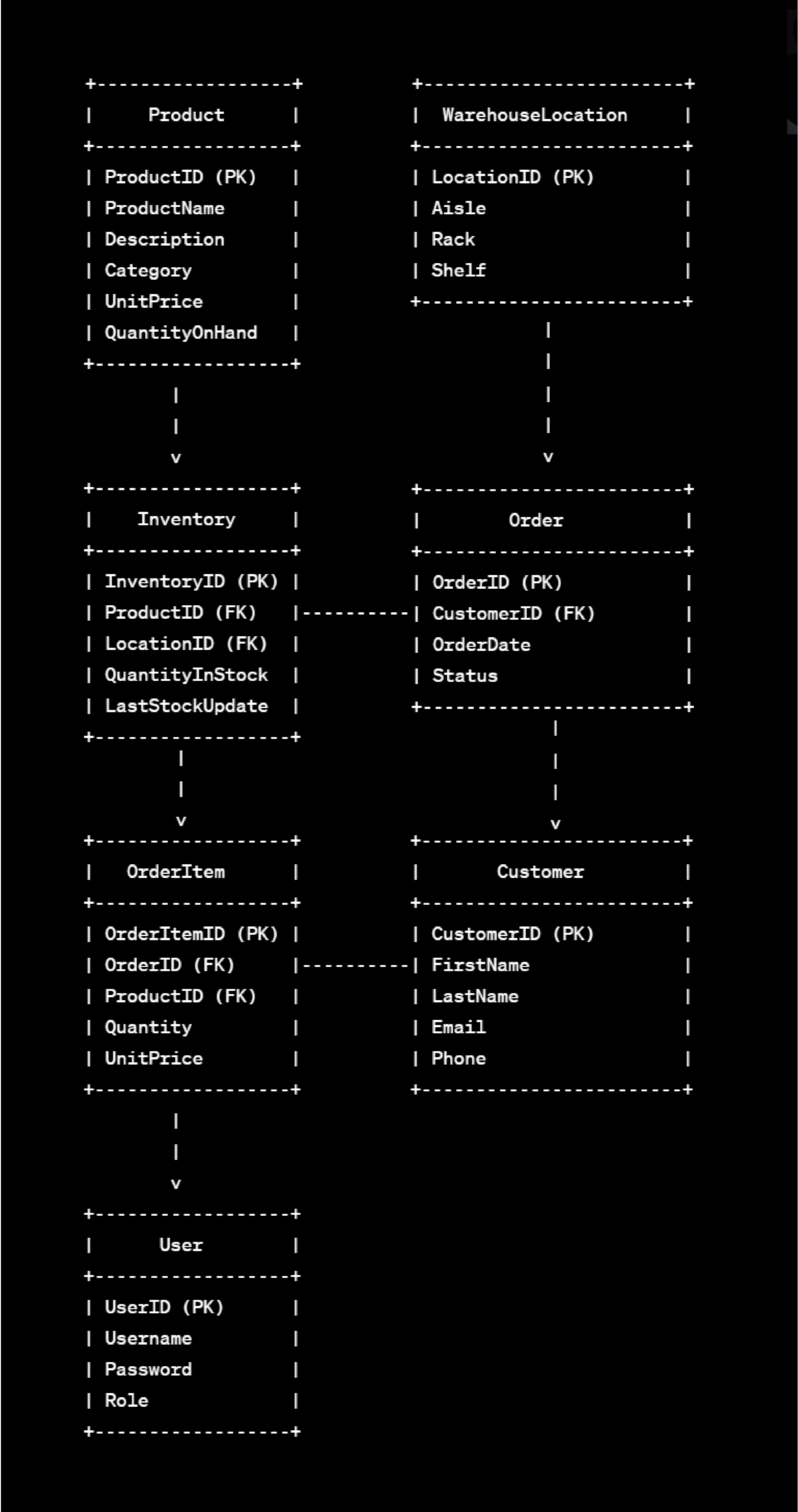
In this diagram:
- Each box represents a table in the database.
- Primary Key (PK) is denoted for unique identification.
- Foreign Key (FK) indicates a relationship with the primary key of another table.
Remember, this is a basic representation, and you may need to refine it based on specific requirements, relationships, and constraints in your actual application. Additionally, you might want to include cardinality indicators (e.g., one-to-many relationships) for a more detailed representation.
Conclusion
The Warehouse Management App powered by AI and No-Code Technology is a solution crafted for the demands of the modern world. It is essential for businesses seeking to optimize their warehouse operations, reduce costs, and improve overall efficiency in the supply chain. It caters to the needs of warehouse managers, staff, and business owners, providing tangible benefits such as enhanced visibility, reduced errors, and improved customer satisfaction.
In adopting and adapting such innovation, businesses position themselves not just to meet the expectations of today but to pioneer the solutions of tomorrow.
Planet Crust’s AI no-code app-builder Aire lets users create custom record-based apps for healthcare directly from AI prompts Users can further customize the AI build with easy-to-use no-code tools, access pre-built apps add connectors and deploy the app in their own instance. We’ll be launching Aire soon! Join the waiting list to get first access
